
Easy loan payments at your fingertips
Make a Payment
We make it easy to make your payment! We offer Message Pay, an easy way to pay your loan online or via text messaging.
Effortless Loan Payments
MessagePay transforms how you handle your loan payments with us. It’s the ideal solution for ensuring your payments are on time, especially when you’re down to the wire.
Stay Ahead of Late Fees
With MessagePay, you’re not just making a payment; you’re taking an intelligent step to save money and keep your account in good standing.
If you utilize your checking or savings account at another financial institution to pay your loan at FOCUS, there is no fee for this service! However, if you utilize your debit card from another financial institution, there is a small $9.95 convenience fee applied to each loan payment via MessagePay.
Find it in Online & Mobile Banking
Your “Make a Payment” experience will look similiar to the screenshots below:
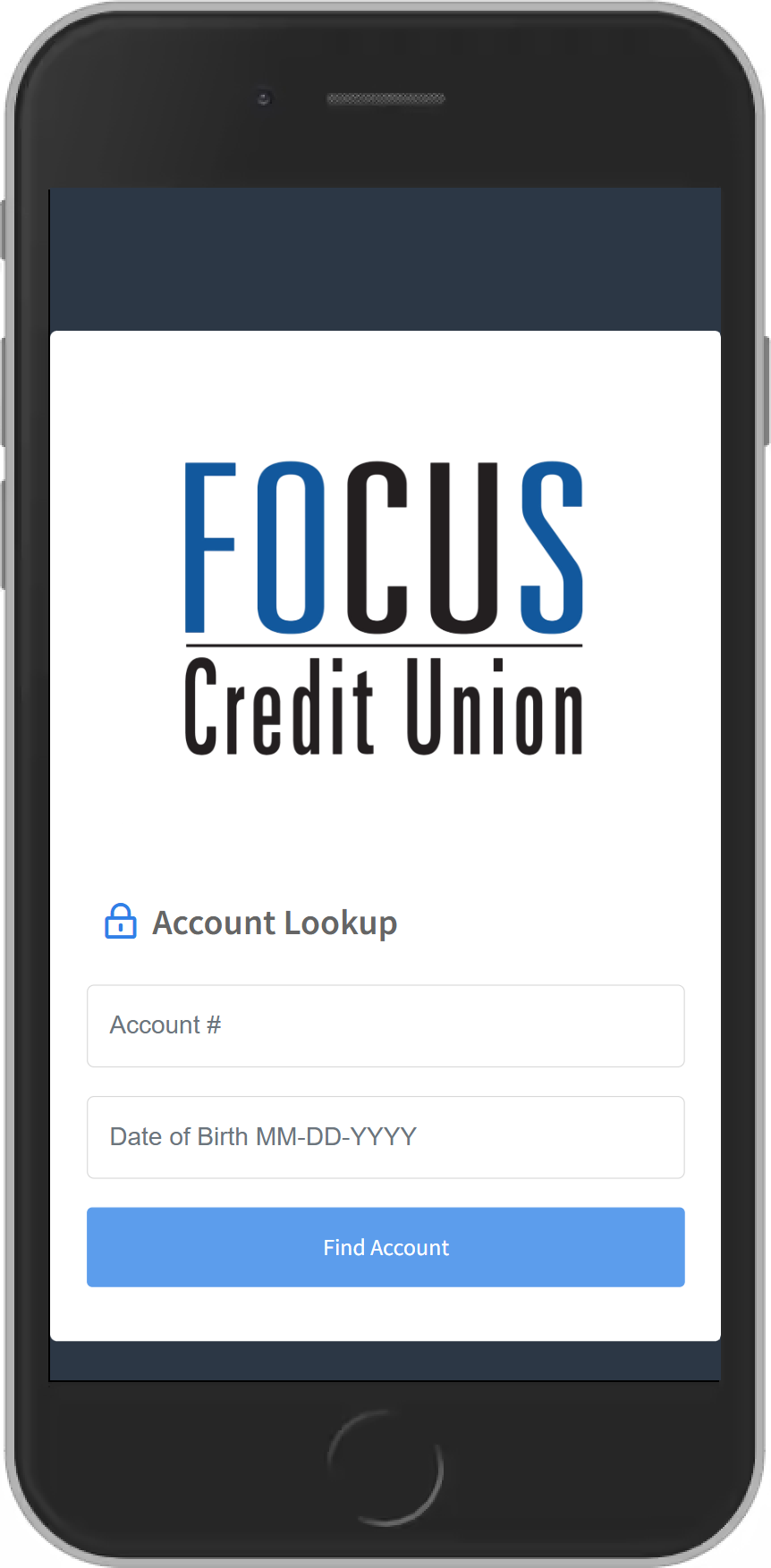
1. Verify Your Account
For first time users, you will need to visit our Message Pay payment portal and authenticate your ccount with your Account Number and Date of Birth.
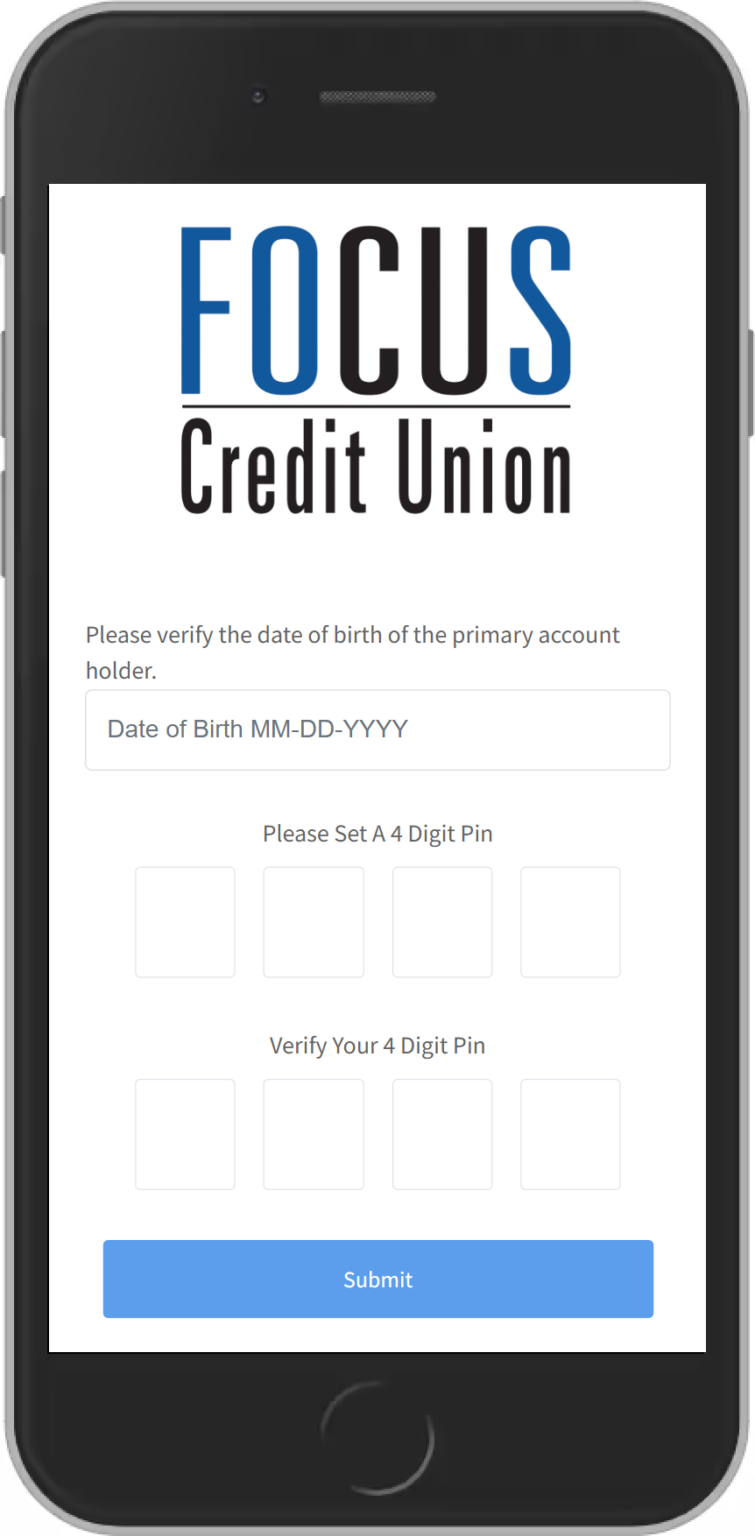
2. Create Your 4-Digit PIN
Store this information in a secure place as you will need this pin number to verify future payments.
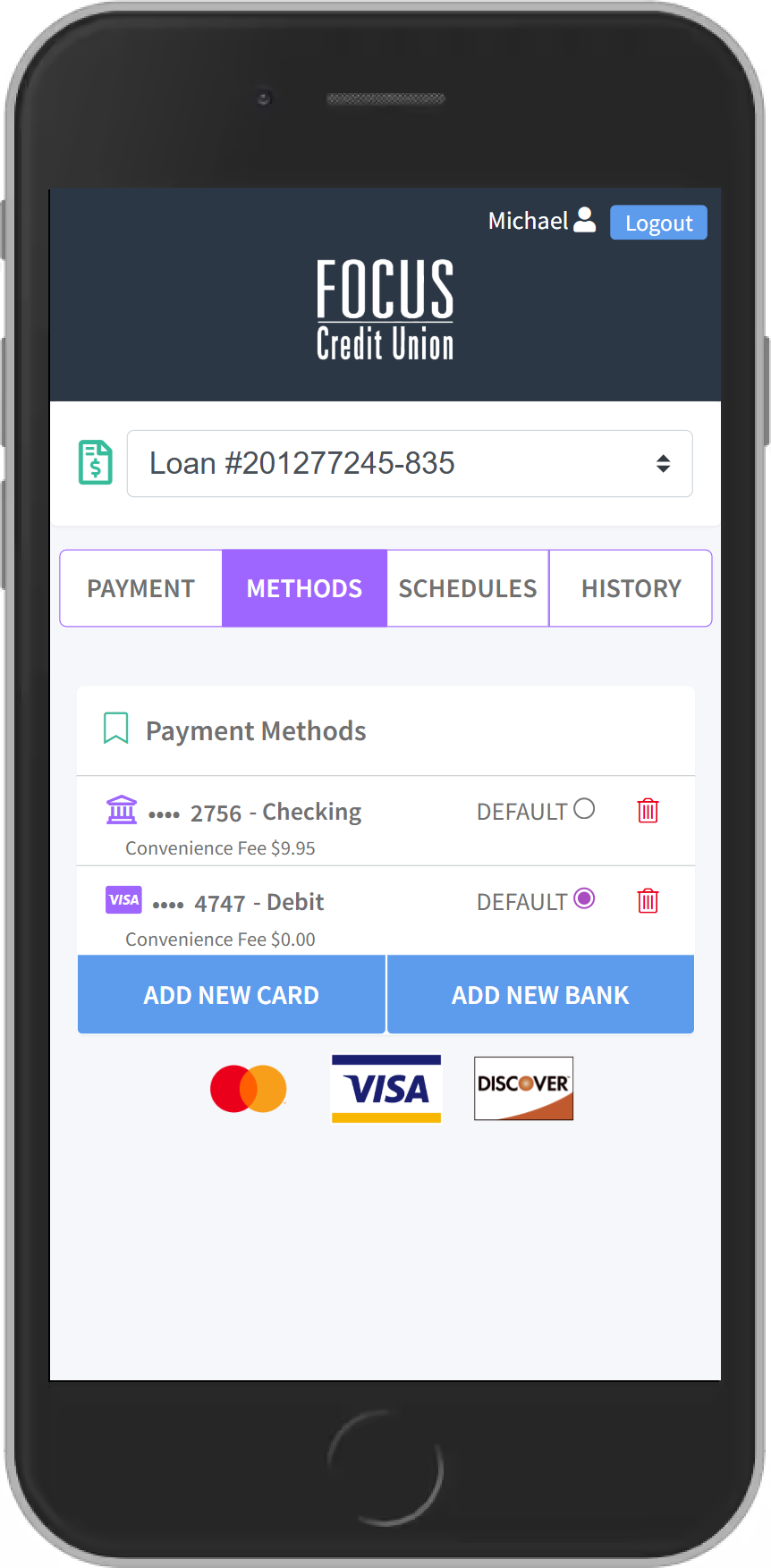
3. Add Your Preferred Payment
Select “Methods” on the top menu. From this screen you can add new cards or bank accounts to pay from.
You can add multiple methods and select which method you would like to be your “default” payment method.
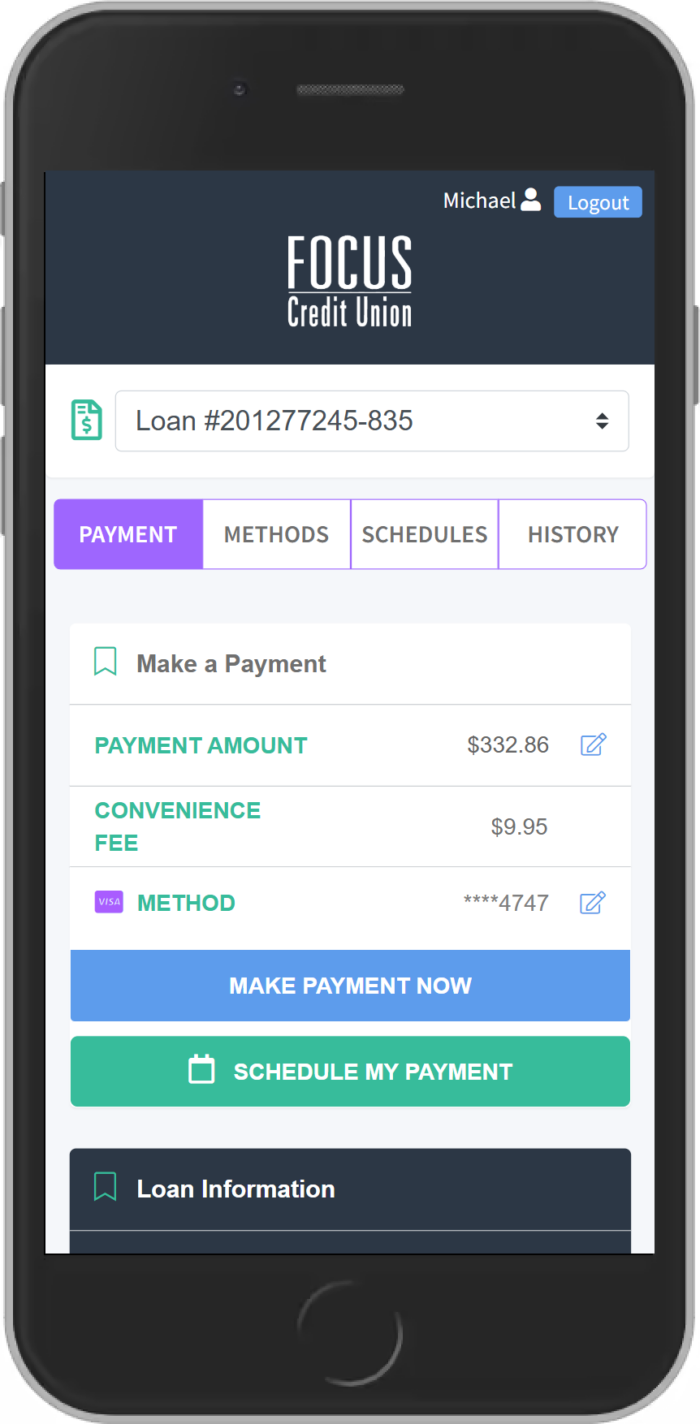
4. Make a Payment
To make your payment in full, select the blue “Make Payment Now” button.
To edit your payment amount, you can touch the pencil icon to the right of the amount.
You can also select a different payment method by touching the pencil icon to the right of the select method.
Upon selecting “Make Payment Now,” a confirmation screen is shown to confirm that you want to make the payment with the selected method.